
A managing director in Nottingham approves a new Microsoft 365 app, a finance employee works from a personal laptop, and a former member of staff still appears in an access group. Nobody intends to create a security problem. The difficulty is that nobody has a shared rule explaining who can approve the app, which devices may access company data, or how quickly leavers' accounts must be removed.
That situation is common in growing East Midlands businesses. IT decisions often develop through quick conversations, urgent fixes and individual judgement. The business may have MFA, cloud backups and Microsoft 365 security settings, yet still struggle to prove that people use them consistently.
IT policies and procedures provide the missing connection between business decisions and technical controls. A policy sets direction, a procedure gives people repeatable instructions, and a technical standard defines what systems must enforce. Together, they help an organisation protect information, support compliance and keep work moving without turning every decision into a senior-management debate.

Introduction to IT Policies and Procedures for Growing Businesses
A policy document on a shared drive won't protect a business by itself. It becomes useful when employees can understand it, managers can approve exceptions, and IT teams can show evidence that the related controls are active.
For example, an acceptable use policy might say that employees must only use approved applications for business data. The procedure then explains how a manager requests an exception, while Microsoft 365 or Entra ID settings restrict access where appropriate. If those three elements don't match, the organisation may have a polished document but no dependable control.
This matters particularly for businesses adopting Microsoft 365, Azure, Dynamics 365 or Copilot AI. Cloud platforms make it easier to work from anywhere and connect services, but they also create more decisions about identity, devices, sharing, retention and data access. A short, well-owned policy set helps leaders make those decisions once, communicate them clearly and review them when the business changes.
A practical way to think about governance
Treat policies as the business rulebook, procedures as the operating instructions and standards as the measurable settings behind the scenes. This approach avoids two common mistakes:
- Writing documents nobody follows: Staff receive a long policy but no practical guidance or training.
- Configuring tools without governance: An administrator enables a setting but nobody records why it exists, who owns it or when it should be reviewed.
The aim isn't to create paperwork for its own sake. It's to make responsibilities visible, reduce improvisation and create a defensible record for customers, insurers, auditors and senior leaders. The following principles build that understanding from the basic definitions through to implementation and evidence.
Understanding How Policies Differ from Procedures and Standards
Think of a workplace fire door. A policy says fire doors must remain closed and unobstructed because the organisation has a duty to protect people. A procedure tells staff how to report a blocked door and who checks it. A standard defines the technical or physical requirement, such as the approved door type, inspection criteria or signage.
The same distinction applies to IT. A policy describes the rule and its purpose. A procedure turns that rule into an action someone can repeat. A standard sets the minimum configuration or quality threshold that systems and administrators must meet.
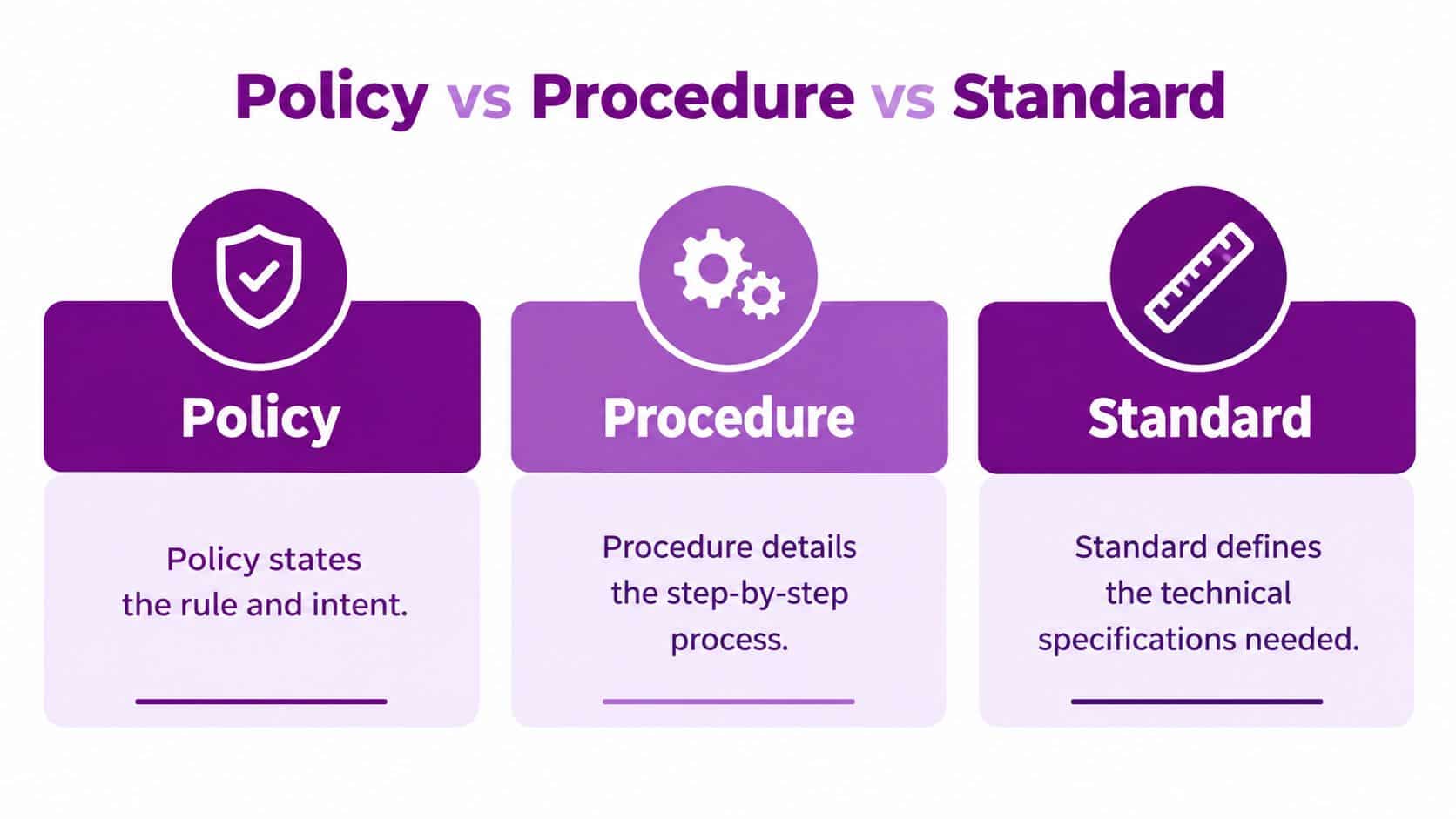
The useful distinction: A policy says what must happen and why. A procedure says how people make it happen. A standard says what acceptable implementation looks like.
One example across three layers
Consider access for a new employee.
- Policy: Access must reflect the employee's job responsibilities, and the business must remove it when employment ends or duties change.
- Procedure: HR informs the service desk, the manager confirms required applications, the administrator creates the account, and a reviewer checks the result.
- Standard: The account uses a unique identity, MFA is required for cloud services, privileged access is restricted, and access comes from an appropriately protected device.
In a Microsoft 365 environment, the policy belongs in the governance framework. The procedure may sit in a service desk knowledge base or onboarding workflow. The standard is implemented through Entra ID, Conditional Access, device management and Microsoft 365 configuration.
Why the labels matter
Businesses get into trouble when one document tries to perform all three jobs. A policy that contains lengthy technical instructions becomes difficult for directors and employees to read. A technical standard without a policy may be changed by an administrator without a clear business owner. A procedure without either may become an unofficial habit that disappears when one person leaves.
The NCSC CAF guidance on service protection policies, processes and procedures states that appropriate policies, processes and procedures should be defined, implemented, communicated and enforced, with senior-management endorsement. That structure gives each layer a clear purpose and makes gaps easier to identify.
Why IT Policies and Procedures Matter More Than Ever for SMBs
A new starter joins from a home laptop, a client asks how their personal data is protected, and a suspicious email arrives in the same morning. Without clear guidance, each person may respond differently. An IT policy gives the business a shared position, while procedures and technical records show whether that position is being followed.
UK data protection governance changed significantly when the Data Protection Act 2018 received Royal Assent on 23 May 2018 and came into force alongside the GDPR on 25 May 2018, replacing the Data Protection Act 1998 as the core national law for handling personal information. The UK Government's Data Protection Act 2018 collection records that legislative transition.
The change affects daily work, not only legal wording. Cloud applications, mobile devices, remote connections and automated data sharing create practical decisions about privacy notices, retention, access, secure sharing and breach reporting. A policy should explain those expectations in language employees can use.
The ICO's 2024 business data survey found that awareness of the regulator varied by business size. 80% of large businesses knew what the ICO was, compared with 66% of small businesses, 58% of micro businesses and 57% of sole traders, according to the ICO business data survey report. For smaller firms, a written policy provides a reliable reference when specialist knowledge is limited.

The operational gap in UK businesses
The 2025/2026 Cyber Security Breaches Survey found that 36% of businesses had formal cyber security policies. It also recorded uneven adoption of practical controls:
- 58% had an agreed process for fraudulent emails or websites.
- 51% had rules for securely storing and moving personal data.
- 48% backed up data securely.
- 34% had a policy to apply software security updates within 14 days.
- 47% used two-factor authentication for networks or applications.
- 38% used separate Wi-Fi networks for staff and visitors.
- 36% used a VPN for remote staff.
A tool alone does not prove that security is governed. Microsoft 365 may have MFA enabled, but the business still needs an owner, review date and record of exceptions. Entra ID and Conditional Access can enforce access rules, while sign-in logs and change records provide evidence that controls operated as intended. Backup software needs the same treatment, with a named reviewer and documented recovery checks.
Policies also support commercial confidence. A prospective client may ask how access to personal data is controlled. An insurer may request evidence of backups, patching or incident response. A board may need assurance that cyber risk has an accountable owner. A controlled policy set gives each audience a consistent answer, supported by approvals, review records and technical logs.
Must Have IT Policies Every SMB Should Put in Place
A useful policy inventory starts with business risk rather than document names. The following areas form a practical foundation for most SMBs using Microsoft 365 and Azure.

Acceptable use and information security
An acceptable use policy explains how employees may use company devices, email, internet access, applications and business accounts. It should cover unauthorised software, unsafe file sharing, personal use, suspicious messages and the handling of confidential information.
An information security policy provides the wider protective framework. It should identify information responsibilities, classification expectations, secure storage, sharing rules, monitoring and reporting routes. Guidance such as Alignmint's policy guide can help businesses think through practical wording for user behaviour and online communication.
Access control and identity
Access control policies should follow job need rather than convenience. Define who approves access, how managers request changes, how administrators record them and how quickly leavers' accounts, tokens and memberships are removed.
For Microsoft 365, connect the written rule to Entra ID groups, MFA, Conditional Access and privileged administrator roles. Device protection matters too. UK guidance for Microsoft 365 emphasises configuring services and devices so data is available only through protected endpoints and enforced settings, as described in Microsoft's UK security and compliance guidance.
Backup, recovery and incident response
A backup policy should define what the business protects, who owns backup jobs, where copies are held, how access is restricted and how restoration is verified. The procedure should record the outcome of each check, not just state that backups exist.
An incident response policy names the decision-makers and escalation routes before an alert becomes a crisis. It should cover suspicious email, account compromise, lost devices, ransomware, data disclosure and service outage. The related procedure can guide triage, containment, communication, recovery and post-incident review.
Remote work, BYOD and AI
Remote work and personal devices need explicit rules. Set expectations for device updates, screen locking, encryption, approved applications, separation of business data, remote wipe and incident reporting. Don't assume that an employee's personal laptop provides the same protection as a managed endpoint.
AI tools need similar attention. A policy should explain what information employees must never paste into an AI service, which approved tools may be used, how outputs are checked and who owns decisions made with AI assistance. The F1Group guide to IT security policies provides a useful point for reviewing these connected policy areas.
| Policy Area | Primary Risk Reduced | Typical Effort to Implement |
|---|---|---|
| Acceptable use | Unsafe user behaviour and unapproved applications | Low to moderate |
| Access control | Excessive or outdated permissions | Moderate |
| Backup and recovery | Data loss and prolonged disruption | Moderate |
| Incident response | Confused escalation during an event | Moderate |
| Remote work and BYOD | Unprotected devices and data leakage | Moderate |
| AI use | Uncontrolled disclosure and unreliable outputs | Moderate |
Real World Examples and Templates You Can Adapt
A good policy uses direct language and gives people a clear action. It doesn’t need to sound like a contract written for a multinational corporation.
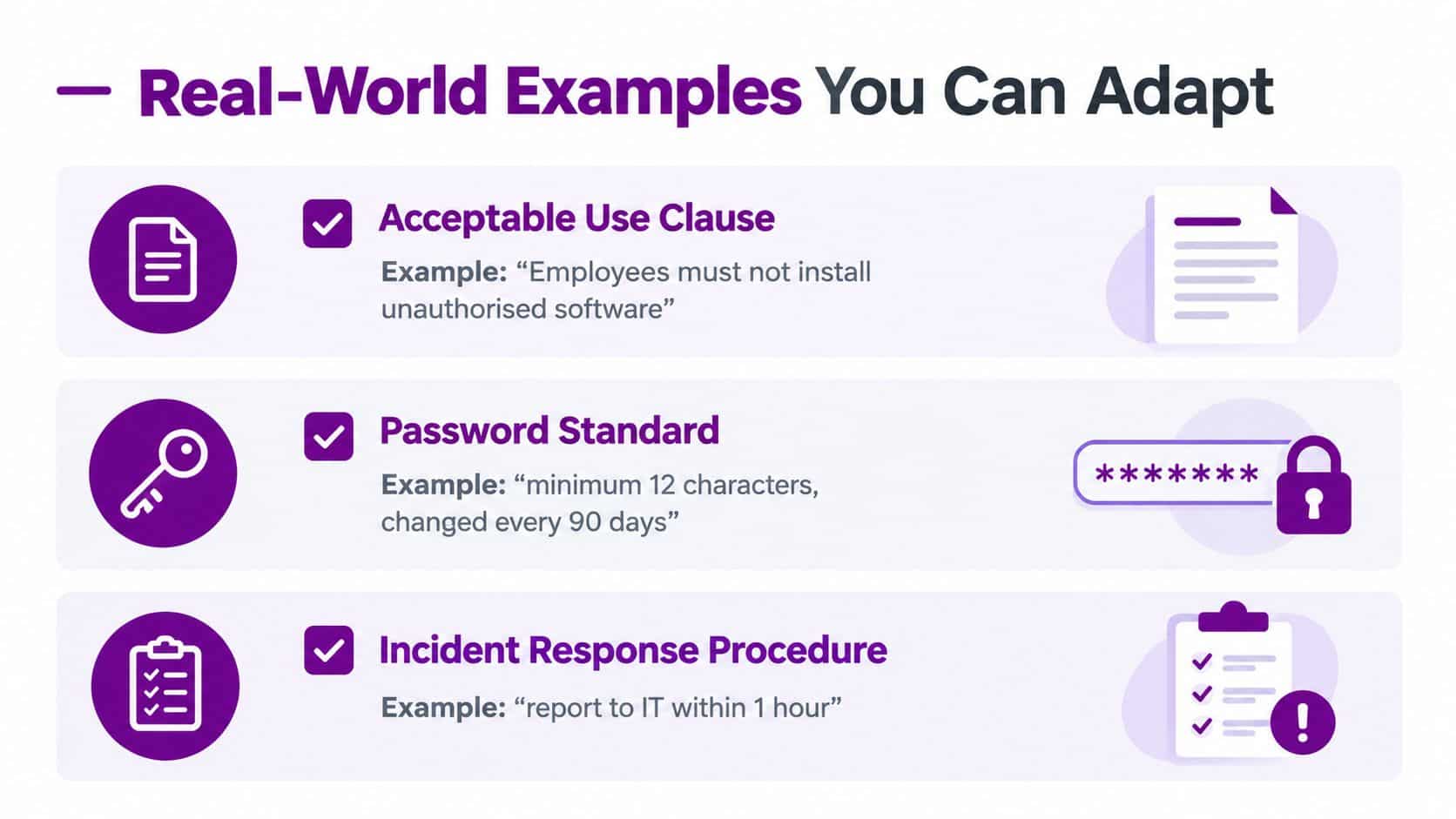
Example one, acceptable use
Acceptable use clause: Employees must not install unauthorised software on company devices. Requests for business software must go through the approved application process.
The procedure should name the request channel, approver and evidence to retain. A technical standard can then restrict local installation rights or use Microsoft Intune and endpoint controls to support the rule.
Example two, access removal
A leaver procedure might read:
- HR notification: HR records the confirmed leaving date and informs the nominated IT owner.
- Manager confirmation: The manager identifies business data, shared mailboxes and delegated access that require transfer.
- Identity action: IT disables the account, removes group membership and revokes active sessions.
- Evidence capture: IT records completion in the service ticket and retains the relevant audit trail.
- Review: The manager confirms that business access and ownership have been transferred.
The policy states that access must be removed when employment ends. The procedure makes that requirement executable and reviewable.
Example three, backup verification
A backup procedure should ask a person to verify a restoration, record what was tested and note any failure or exception. It might require a sample file restoration, confirmation that permissions remain appropriate and escalation when the result doesn’t meet the organisation’s recovery requirement.
Keep controlled documents in a location with restricted editing, such as a dedicated SharePoint library. Each document should show its owner, version number, approval status, review date and change history, matching the ICO guidance on policies and procedures.
Use templates as starting points, not as finished answers. The ChatGPT alternative usage terms from 1chat are a useful reminder that policies for AI and online services should be checked against the actual tool and the information your organisation handles. For a practical document structure, compare it with the F1Group template IT policy guide, then tailor ownership, approval routes, evidence storage and technical settings to your own environment.
How to Implement and Maintain Policies Without Disrupting Work
Policy rollout works better as a managed change than as a mass email with a PDF attachment. Start with senior endorsement, because the ICO expects data protection policies to be supported at the highest management level, and the NCSC expects an overarching security policy to have senior-management backing.
A phased rollout
- Choose an owner: Give each policy a named business owner and a technical contributor. The owner remains accountable even when another person maintains the document.
- Define the minimum rule: Remove unnecessary language and state what employees must do, what managers approve and what IT enforces.
- Map the control: Link each requirement to a procedure, Microsoft 365 setting, Entra ID configuration, ticket or report.
- Pilot the change: Test the process with a small group or one department. Look for blocked work, confusing approval routes and missing exceptions.
- Train and acknowledge: Explain the reason for the rule, show the correct action and record completion. Staff are more likely to follow a policy when they understand the risk it addresses.
- Review the evidence: Check access logs, configuration reports, backup results, patch status and service tickets. Fix the process when evidence doesn’t match the policy.
Exceptions need structure. A manager should record why an exception is necessary, who approved it, how long it lasts and what compensating control applies. Without that record, temporary workarounds become permanent gaps.
A policy is living only when someone owns it, people know how to use it, and the business checks whether the promised control is operating.
Keep updates digestible. A short change briefing, a revised procedure and a targeted reminder often work better than asking employees to reread a large manual. Review dates should appear in the document and in the organisation’s task system so nobody relies on memory.
Keeping Policies Compliant Auditable and Ready for Microsoft 365
Audit readiness means showing more than a signed document. It means connecting each rule to evidence that demonstrates how the business applies it.
Cyber Essentials provides a practical control lens through boundary firewalls, secure configuration, access control, malware protection and patch management, as summarised by NHS England Digital’s Cyber Essentials guidance. It is distinct from ISO 27001, because ISO certification doesn’t automatically prove that those five controls are included or tested.
The Ministry of Justice security guidance identifies GovS 007, Security, as base material for security guidance and links policies, standards, procedures and governing arrangements. For an SMB, the same principle is straightforward: document the rule, configure the platform, check the result and retain the record.
Useful evidence can include:
- Identity evidence: Entra ID sign-in logs, MFA configuration and privileged access reviews.
- Device evidence: Protected endpoint status, encryption and Conditional Access results.
- Patch evidence: Update compliance reports, exception records and remediation tickets.
- Recovery evidence: Backup job results and restoration checks.
- People evidence: Training acknowledgements, joiner and leaver records, and incident exercises.
Keep a review rhythm suited to the risk, and revisit policies after major technology, organisational or security changes. Board reporting should focus on ownership, exceptions, overdue actions and tested response capability rather than presenting a pile of documents.
For an independent view of gaps, F1Group’s IT audit services can help connect policy wording with Microsoft 365 configuration, operational records and practical improvement actions. The result should be a set of living controls, not a folder of forgotten files.
F1Group can help East Midlands SMBs create, organise and test IT policies and procedures, then connect them to Microsoft 365, Azure, Entra ID, device protection and audit evidence. Phone 0845 855 0000 today or send us a message to discuss a practical policy and governance review. Visit F1Group to arrange customised support.