
You already know the feeling. The finance system is fine until month-end, the CRM won't speak cleanly to accounts, and the one person who understands the old app is busy firefighting somewhere else. That's when application modernisation stops being a technology preference and becomes a business decision, because the stack you tolerate today is the same stack that blocks AI readiness, slows change, and keeps cash tied up in brittle support work.
What Application Modernisation Really Means Today
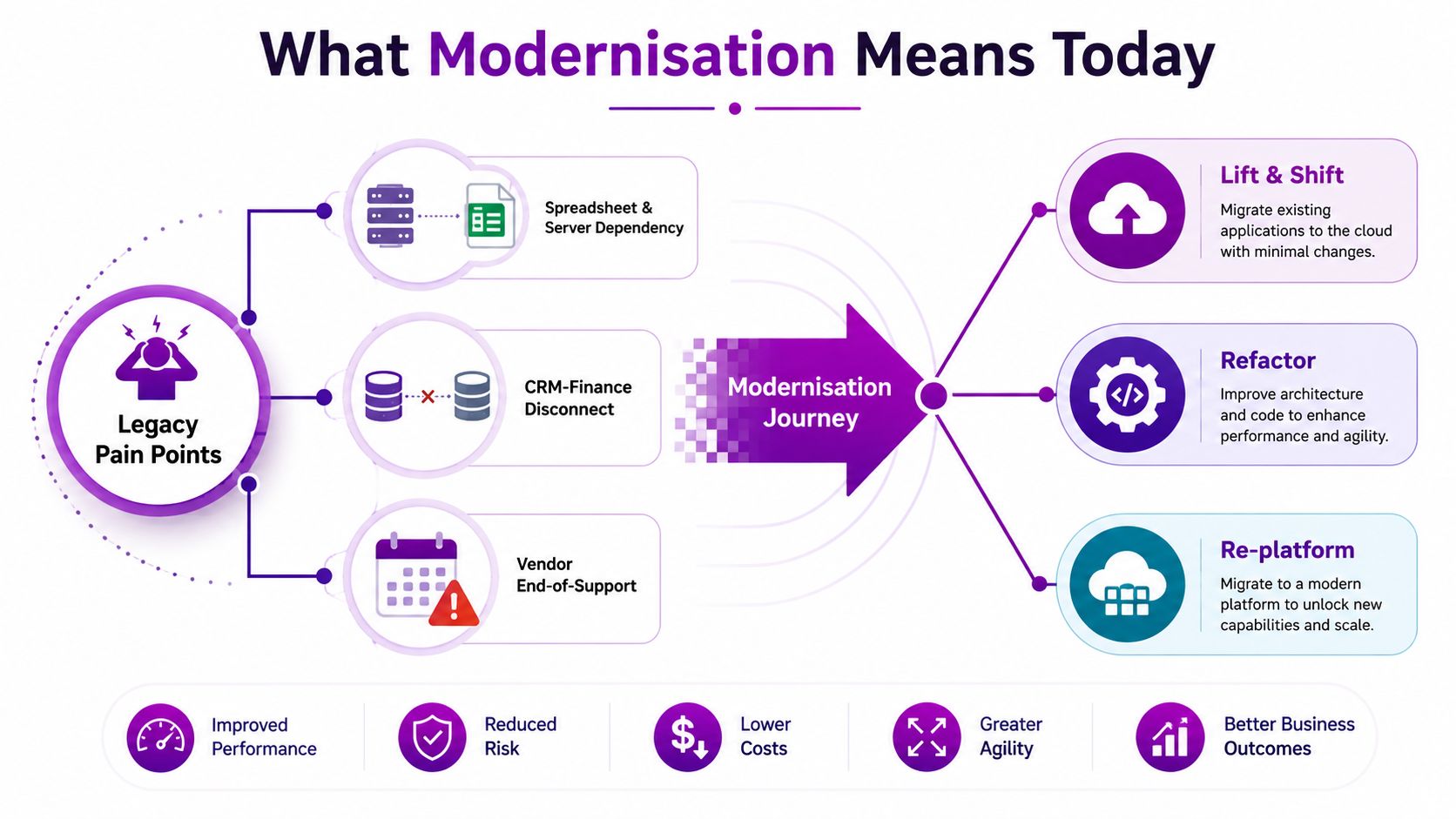
Modernisation is not a server move with nicer branding. It's the point where you stop treating each old application as a one-off rescue job and start managing the whole estate as a portfolio of decisions, each with a different end state. Microsoft's 6 Rs framework, retire, retain, rehost, replatform, refactor, rebuild, is the right way to think about it because it forces a choice instead of defaulting to “lift and shift” for everything Microsoft's 6 Rs of application modernisation.
In the UK, this matters because the legacy problem is still structural. The UK Government Digital Service said the central government estate still had more than 1,000 legacy systems, and the Public Accounts Committee warned that many were old enough to raise service failure risk and maintenance cost UK application modernisation report. The same scrutiny found systems dating back to the 1980s and 1990s, which is why modernisation became part of transformation programmes rather than a simple IT refresh UK application modernisation report.
The right definition for an East Midlands SMB
For an SMB, modernisation means choosing the least disruptive path that removes today's bottleneck and opens tomorrow's options. Sometimes that means retiring an app nobody should still be paying for. Sometimes it means retaining a stable system and spending the money elsewhere. Sometimes it means rehosting to Azure, then replatforming or refactoring later when the business is ready.
Practical rule: if an application cannot support clean identity, data access, and integration, it is already holding back your Microsoft estate, even if it still “works”.
That's why the goal isn't just lower infrastructure pain. The goal is business agility and a foundation that can support Microsoft 365, Azure, Dynamics 365, Power Platform, and Copilot without creating another silo. In practice, modernisation is a staged programme over months, not a single project you close when the migration finishes.
A useful starting point is to be honest about lifecycle control. If your team is still managing release risk, vendor support, and ageing code paths by instinct, the application lifecycle itself needs attention, not just the app. A good internal reference on that discipline is the guide to application lifecycle management, because modernisation without lifecycle control is just a more expensive mess.
The Business Case and Hidden Cost Traps
The finance committee doesn't want a cloud story. It wants a cash story. Microsoft's guidance is blunt enough to be useful, build the case from response times, error rates, and resource utilisation first, then prioritise applications that are underperforming, failing often, or stuck on unsupported stacks Microsoft readiness guidance. That's the right sequence because it anchors modernisation in measurable pain, not architectural taste.
The other anchor is timing. Microsoft says teams should plan the investment as a phased decision and expect to break even within 18 to 24 months depending on scope and scale Microsoft 6 Rs planning guidance. I'd treat that as the board-level horizon, not as a comfort blanket. If the numbers don't show a believable path to payback inside that window, the project needs to be smaller, or it shouldn't start.
The trap most budgets miss
The biggest mistake is pretending the legacy app disappears the moment the new one is approved. It doesn't. You still pay for the old environment, the old support burden, the old licensing, and the old integration work while the replacement is being built. Zend's analysis calls out the hidden drivers that get missed most often, business continuity, tooling and platform upgrades, DevOps complexity, business-logic capture, and developer context-switching Zend on enterprise application modernisation.
That's the cost trap. You're funding two estates at once, and if you don't budget for parallel run, the project will look cheaper on paper than it is in real life. For a clean view of how to think about that total spend, a good external comparator is Server Scheduler's cloud TCO breakdown guide, which is useful precisely because it pushes you to count the full operating picture, not just the migration invoice.
A modernisation case that ignores parallel run is a budget fantasy. The old system keeps charging rent while the new one learns to breathe.
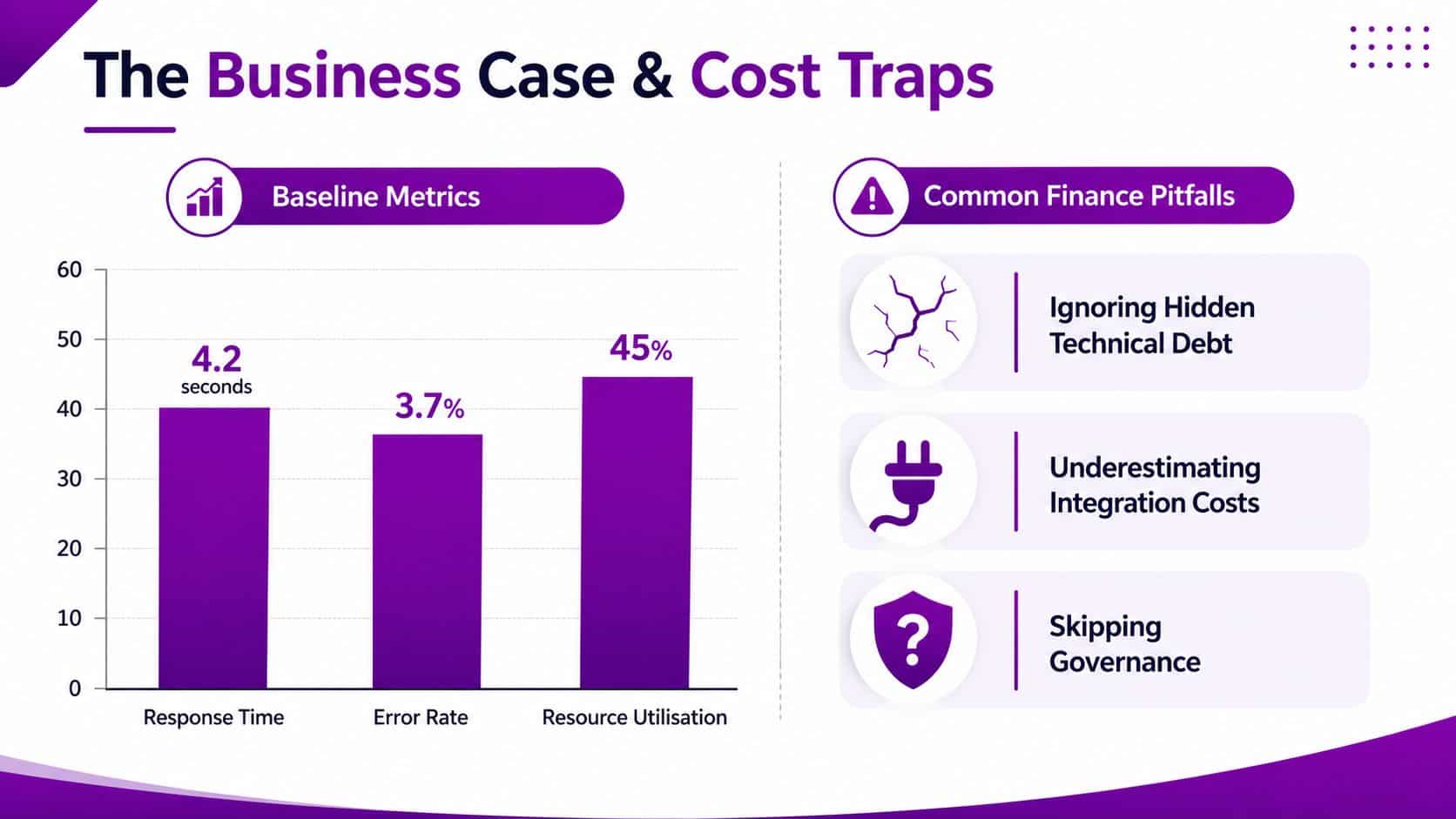
| Baseline metric | Why it matters | What to do with it |
|---|---|---|
| Response time | Shows user pain and process drag | Fix the worst offenders first |
| Error rate | Exposes instability and support load | Prioritise apps that fail often |
| Resource utilisation | Reveals wasted spend and headroom issues | Rehost or replatform where waste is obvious |
The finance-ready answer is simple. Measure the current estate objectively, allow for the legacy overlap, and compare the project against a realistic break-even target. If the plan depends on go-live as the moment savings magically appear, it's undercooked.
Choosing the Right Modernisation Pattern
Most SMBs get this wrong by starting with the technology rather than the workload. Microsoft's 6 Rs are not a menu to browse lazily, they're a decision tool. If you apply them properly, you end up with a cleaner portfolio and fewer expensive surprises.
Match the pattern to the workload
Retire is the easiest win, because the best modernisation decision is often to stop maintaining something that no longer earns its keep. Retain is not failure, it's a sensible call for stable systems with low change and low integration pressure. Rehost buys breathing room when the business needs speed, while replatform gets more value out of Azure-managed services without rewriting the world.
Refactor belongs to systems that change often, especially where AI, automation, or integration pressure keeps exposing old design limits. Rebuild is the rarest option, and in an SMB it should be reserved for systems where the old design is too rigid to carry forward. Microsoft's own planning guidance also says to score applications by complexity, dependency, risk, data volume, and business value, then phase the roadmap so low-risk components prove value early Microsoft planning guidance.
| Pattern | Best For | Cost Band | Risk | Typical Outcome |
|---|---|---|---|---|
| Retire | Dead weight, duplicate functions | Low | Low | Spend removed, clutter reduced |
| Retain | Stable, low-change systems | Low | Low | Resources redirected elsewhere |
| Rehost | Quick cloud move, minimal code change | Medium | Medium | Faster move, limited redesign |
| Replatform | Apps that suit managed Azure services | Medium | Medium | Better operations, less admin |
| Refactor | Frequent change, AI or integration blockers | Higher | Higher | Cleaner structure, easier evolution |
| Rebuild | Rare systems that need a fresh architecture | Highest | Highest | New foundation, bigger delivery risk |
The common East Midlands mistake is pushing too many apps into rehost because it feels safer. It's often just procrastination with a cloud bill attached. If a workload blocks Copilot, Power Automate, or clean data sharing, rehost alone won't solve the underlying problem.
The portfolio usually ends up dominated by retain, retire, and rehost, with replatform and refactor used where the business pressure is real. That's not indecision. It's disciplined sequencing.
Microsoft-Centric Modernisation Options in Practice
If you're running a Microsoft-heavy SMB, the question isn't “cloud or not”. The question is which Microsoft services remove the legacy pain without creating a new administration burden. Azure gives you the base, but the value comes from choosing the smallest set of services that changes how the business works.
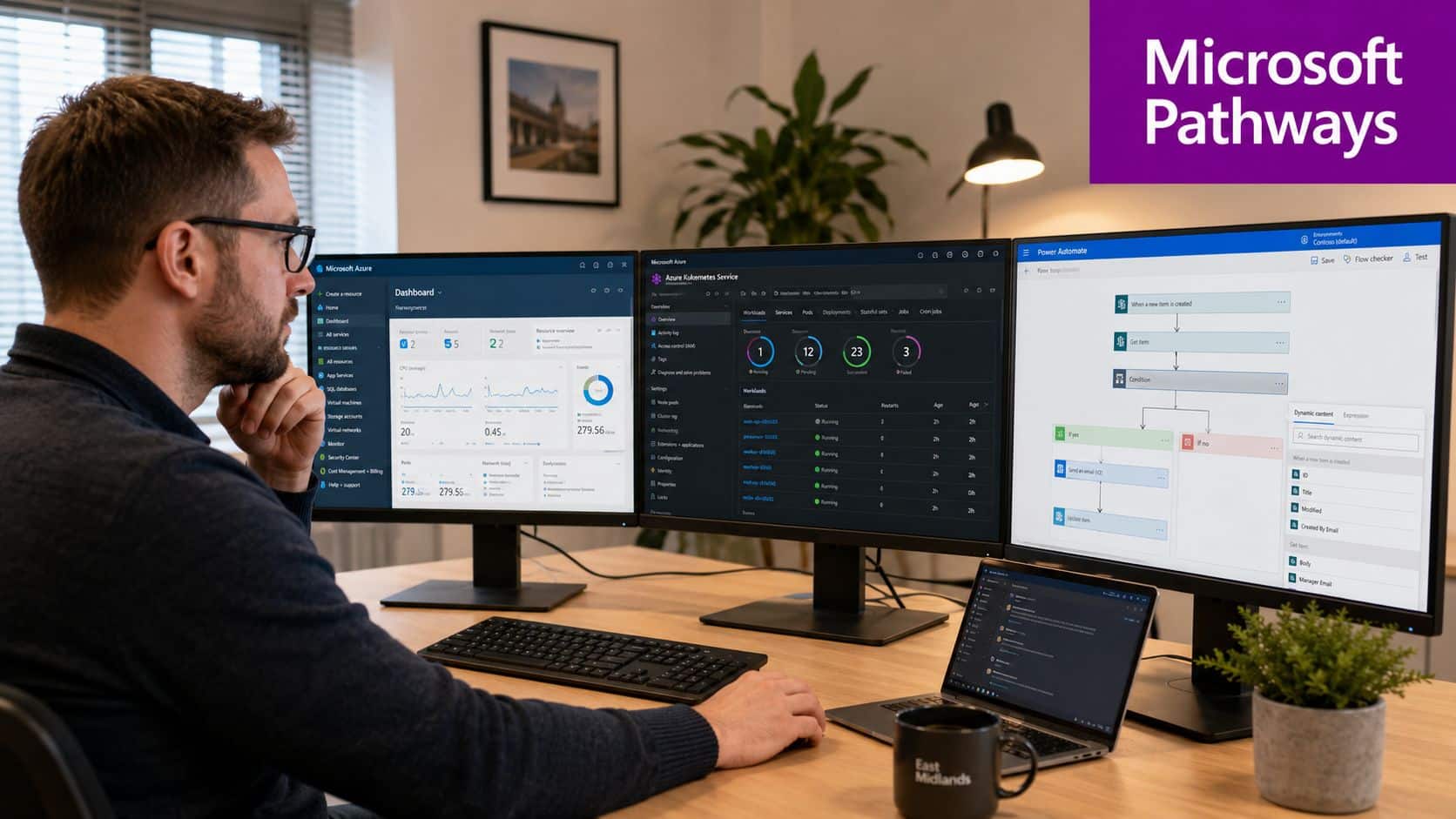
The first choice is usually whether the application belongs on Azure VMs, App Service, or AKS. Use VMs only when the system needs infrastructure-level control or the code is too awkward to move cleanly. Use App Service when the app is a straightforward web workload that benefits from a managed platform. Reach for AKS when container orchestration is justified by componentisation, release cadence, or a clear need to separate services.
Where integration work pays off
The next layer is usually integration, and many modernisation projects stop being tidy. If your app still talks to finance through brittle scripts and manual steps, the modern front end won't save you. Azure Data Factory, Logic Apps, Power Automate, and API Management are the layer that stops a new app becoming just another island.
If the integration layer is missing, modernisation ends with prettier screens and the same operational mess underneath.
For workflow-heavy processes, Power Platform often delivers more value than another greenfield build. Power Apps can replace awkward internal forms, Power Automate can remove repetitive handoffs, and Power BI can give leaders a view they never had before. If the customer or staff process is already well understood, Dynamics 365 can be the faster route than funding a bespoke rebuild nobody wants to maintain.
Copilot belongs after the foundations are cleaned up, not before. Identity, permissions, and data quality need to be in shape first, otherwise AI just surfaces inconsistency faster. That's why a Microsoft-centric modernisation plan should start with the business process, then choose the smallest service set that clears the block.
For teams considering a migration-led route before deeper redesign, the Azure cloud migration services overview is a useful reference point because it keeps the discussion tied to Microsoft delivery realities rather than abstract architecture talk.
The right move is rarely “adopt everything”. Pick the minimum Microsoft stack that removes the bottleneck, then stop. That restraint is what keeps the programme affordable.
A Practical 6 to 12 Month Modernisation Roadmap
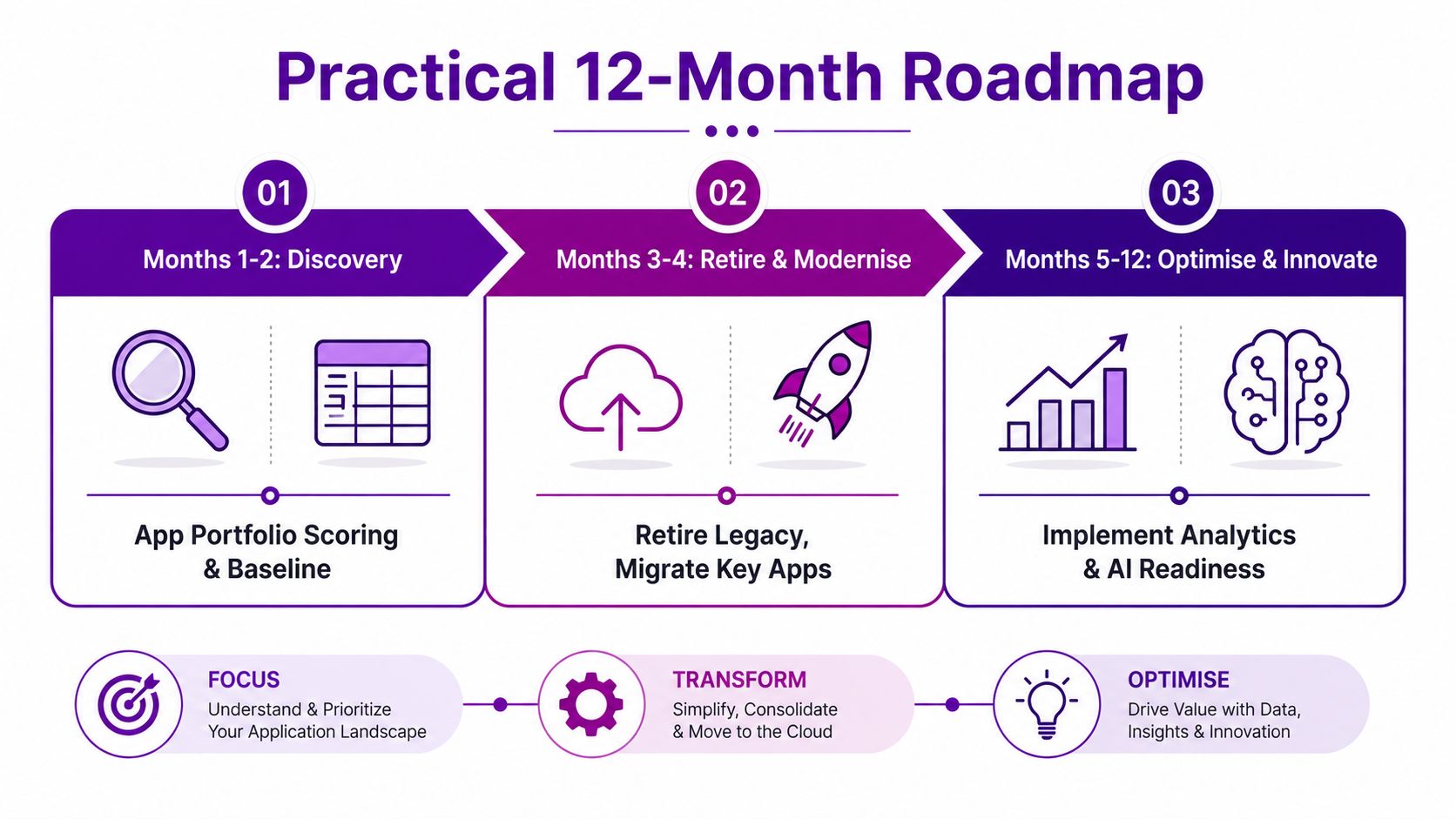
Treat modernisation as overlapping waves, not a heroic one-shot delivery. The first two months are about discovery, baseline measurement, and portfolio scoring. Months three and four should deal with the obvious dead weight and one proof-of-value workload. After that, you can move into broader replatform and refactor work, but only where the early evidence justifies it.
The roadmap that boards can actually defend
Start by inventorying each application against business value, technical fragility, dependency depth, and operational pain. Don't overcomplicate the scoring model. You need enough signal to decide whether the app should be retired, retained, rehosted, replatformed, refactored, or rebuilt.
Then pick one workload that has clear business value and manageable risk. Rehost it or replatform it, depending on what the workload needs, and use that work to validate your landing zone, identity model, support model, and integration approach. Many SMBs discover that their biggest issue was never migration speed, it was poor estate visibility.
By months five to eight, move into the applications that block growth or AI adoption. This is the point for replatforming services that should sit on managed Azure components, and refactoring the parts of the stack that keep causing change friction. By months nine to twelve, focus on stability, optimisation, and support handover so the new operating model doesn't become another unmanaged pile of tickets.
A simple governance discipline
Keep the gates strict: no later phase starts until the earlier wave has proven value, cleaned up its dependencies, and stabilised support.
That discipline matters because “calendar complete” is not the same as “business ready”. If the migrated app still behaves like a legacy system, your estate has only changed its postcode. The right outcome is a cleaner support model, better integration, and a platform that can absorb AI and automation without drama.
The safest pattern is boring in the best possible way. Small proof first, bigger systems later, and every phase justified by evidence rather than enthusiasm.
AI Readiness, Governance and Post-Launch Care
Modernisation is not finished when the app goes live. That's when the discipline starts, because Copilot, Power Automate, and other AI-enabled features only create value when the surrounding governance is in place. Identity, data quality, permissions, auditability, and human-in-the-loop review aren't optional extras, they're the foundations that keep the business safe.
Deloitte's guidance is useful here because it pushes leaders to separate operational workflows from product capabilities and prioritise according to digital maturity rather than trying to modernise everything at once Deloitte legacy system modernisation. That's the right lens for Microsoft-centric firms too. If the process can't be trusted, AI will only accelerate bad practice.
What has to be in place before AI gets turned on
The biggest mistake is letting teams deploy AI features on top of messy permissions and unreliable data. That gives you faster answers, not better ones. It also creates governance headaches because nobody can explain who saw what, why a workflow changed, or which record became the source of truth.
Use post-launch support as part of the budget, not an afterthought. Managed services, monitoring, and optimisation matter here, because an application that just arrived in Azure still needs tuning, patching, and oversight. For a useful practical angle on the tooling side, the AI tools guide for scaling engineering teams is worth reading alongside governance thinking, because it reinforces the point that tooling only helps when process and ownership are clear.
The UK public-sector experience is the warning sign here. Policy can push cloud adoption, but it doesn't deliver value on its own. Integration, skills, and operational ownership still decide whether the new platform actually helps the business.
For a tighter governance model, see the internal guide on AI governance frameworks. The practical point is simple, modernisation and governance are the same programme if you want AI to behave.
Choosing a Partner and Local Support in the East Midlands
A good modernisation partner does more than move workloads. They should be able to cover Microsoft 365, Azure, Dynamics 365, Power Platform, custom development, managed support, and cyber security under one roof, because handoffs between separate suppliers are where modernisation outcomes often fall apart. You also want vendor-certified and DBS-checked engineers, because trust and access control matter as much as technical ability.
That's where local support counts. F1Group works across Lincoln, Nottingham, Leicester, Scunthorpe, Grimsby, and Newark, which matters if you want a partner who can deliver the project and stay with the estate afterwards. F1Group also provides managed IT services, Microsoft-focused support, Dynamics 365, Power Platform, Copilot, custom app development, and cyber security, so the delivery model lines up with the way modernisation works in an SMB estate.
Choose the partner who can finish the project and run the result. If the delivery team disappears at go-live, you've bought risk, not resilience.
If you want one more filter, use this. Prefer the supplier who can explain your application portfolio in business terms, show how they'll stage the 6 Rs, and prove they can support the estate after launch. In the East Midlands, that usually means choosing depth, locality, and Microsoft competence over a flashy migration pitch.
Phone 0845 855 0000 today and Send us a message at F1Group contact.
If you want a modernisation plan that's built around Microsoft services, AI readiness, and realistic cash flow, F1Group can help you map the estate, separate the quick wins from the hard work, and deliver the right mix of Azure, Power Platform, and managed support. Start with F1Group and get a practical view of what should move, what should stay, and what should go.